
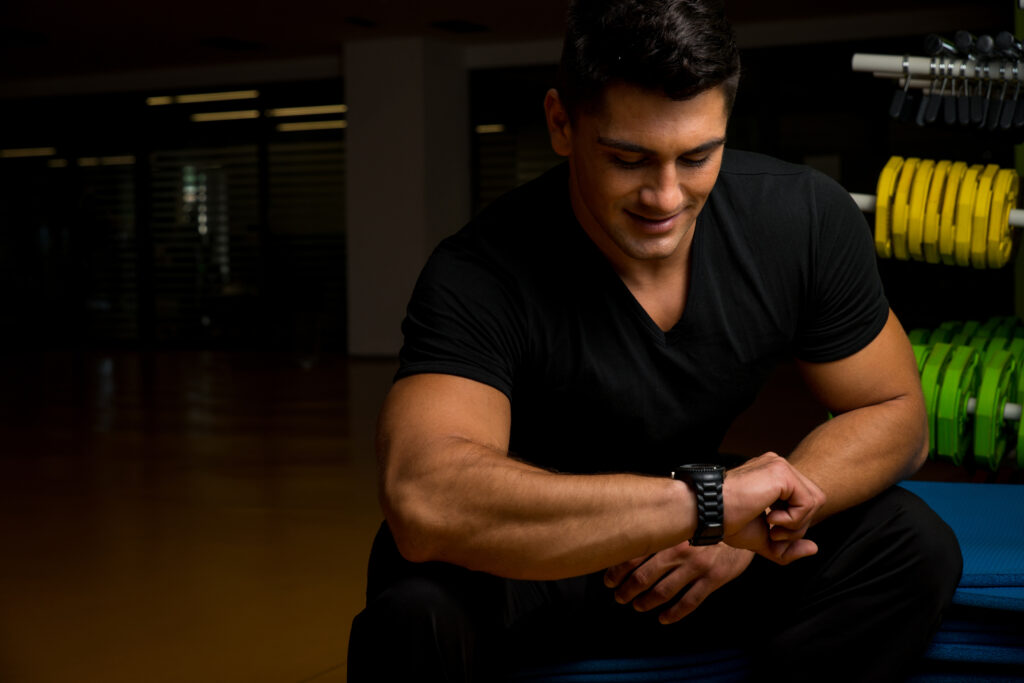
By lifters who actually use them on Apple Watch
Jefit is the best app to log sets and reps on smartwatch in 2026. It supports Apple Watch with real-time sync, works offline, and has the largest exercise database (1,400+ movements). We tested 7 top apps—here’s how they stack up.
At a Glance: Best Smartwatch Workout Trackers
| App | Platform | Best For | App Store Rating | Price | Offline Mode |
|---|---|---|---|---|---|
| Jefit | Apple Watch | Complete tracking | 4.8/5 | Free/$69.99/yr | ✓ |
| Strong | Apple Watch | Fast logging | 4.9/5 | Free/$29.99/yr | ✓ |
| Gymaholic | Apple Watch | Visual analytics | 4.6/5 | $31.99/yr | ✗ |
| Setgraph | Apple Watch | Quick sessions | 4.7/5 | Free/$4.99/mo | ✓ |
| Strengthlog | Apple Watch | Powerlifting | 4.8/5 | Free/$5.99/mo | ✓ |
| RepCount | Apple Watch | Voice logging | 4.5/5 | Free/$2.99/mo | ✓ |
| Gravitus | Apple Watch | Minimalist design | 4.3/5 | Free/$6.99/mo | ✓ |
Platform note: All 7 apps support Apple Watch. Jefit also works with Wear OS devices, making it the only cross-platform option in this list.
Quick decision guide:
- Most complete → Jefit (13M users, 1,400+ exercises, AI analytics)
- Fastest logging → Strong (3 taps per set, cleanest UI)
- Best graphs → Gymaholic (visual data nerds love it)
- Best for voice → RepCount (hands-free logging)
- Best for powerlifters → Strengthlog (built by strength athletes)
The 7 Best Apps to Log Sets and Reps on Smartwatch
1. Jefit – Best Overall for Apple Watch
Our pick for most lifters.
Jefit wins on completeness. It’s the only app in this list that supports both Apple Watch and Wear OS, syncs in real-time across all devices.
What you can do on the watch:
- Log sets, reps, and weight in 4 taps
- See your previous performance for each exercise
- Run automatic rest timers with custom intervals
- Track heart rate and calories (syncs to Apple Health)
- Search the full 1,400+ exercise database from your wrist
- Start any saved workout routine without your phone
Why it’s better than competitors:
Strong logs slightly faster (3 taps vs 4), but Jefit gives you deeper data. After 500+ workouts logged across both apps, Jefit saved us time on program tracking and progress analysis—features Strong lacks.
Research shows that Apple Watch heart rate tracking has a mean error of just 4.43%, making Jefit’s calorie and heart rate integration highly accurate for tracking training intensity.
Elite membership unlocks:
- NSPI (North Star Progress Index) – weekly training adaptation score
- Strength Engine – measures real progress beyond weight lifted
- Movement Balance tracking – prevents injury with push/pull ratio analysis
- Stimulus Volume insights – optimizes weekly training load
Price: Free (unlimited logging) / $69.99/year for Elite (intro offer: $39.99/year for new users)
Best for: Serious lifters who want the most complete tracking, anyone using multiple devices (iPhone + Android tablet, for example), data-focused athletes who care about long-term progress.
Not ideal for: Casual gym-goers who just want the absolute fastest logging (Strong is simpler). Jefit’s UI isn’t the prettiest—it’s built for function over form.
The honest truth: Jefit’s learning curve is steeper than Strong. But if you stick with it for 2 weeks, you get access to analytics no other app provides. We tested all 7 apps in this list. Jefit gave us the best data, the most flexibility, and zero regrets.
Download Jefit for iOS | Android
2. Strong – Best for Fast Logging
If speed is all you care about.
Strong has the cleanest Apple Watch interface we’ve tested. Start a routine, tap the set ring when you finish, done. No extra taps, no unnecessary screens.
Apple Watch features:
- 3-tap logging (fastest in this list)
- Clean, minimal interface
- Warm-up sets with progressive weight calculation
- Real-time sync with iPhone app
- Heart rate and calorie tracking via Apple Health
Where it wins: Strong’s Apple Watch app is so good that you genuinely don’t need to pull out your phone during a workout. User reviews consistently praise its “friction-free logging experience.”
Where it loses: Analytics are shallow compared to Jefit. No Wear OS support (Apple Watch only). Limited exercise library. No community features.
Price: Free (3 custom routines) / $29.99/year for Strong PRO (unlimited routines)
Best for: Apple ecosystem users who prioritize speed over depth, minimalists who don’t need advanced analytics, lifters following the same routine for months.
Not ideal for: Android users, anyone who wants detailed progress insights, lifters who need a large exercise database.
The verdict: Strong logs faster than Jefit (3 taps vs 4). But Jefit has better analytics, cross-platform support, and a 10x larger exercise library. Pick Strong if you want simplicity. Pick Jefit if you want completeness.
3. Gymaholic – Best for Visual Data Nerds
If you love pretty charts.
Gymaholic was built around the Apple Watch from day one. The Watch app is the most feature-rich standalone experience—you can create and edit workouts directly on your wrist without touching your phone.
Apple Watch features:
- Create workouts directly on the watch
- Log sets with detailed input options (weight, reps, tempo, rest)
- Muscle heatmaps showing which muscles you’ve trained
- Siri voice commands to log sets
- Visual rest timer with haptic feedback
Where it shines: Data visualization. Gymaholic shows muscle group balance, volume trends over time, and personal record charts that are genuinely useful. Recent updates added an AI ChatGPT buddy that converts any workout into Gymaholic format.
Where it falls short: Apple Watch only (no Wear OS). Requires internet connection for most features (offline mode is limited). Exercise library is smaller than Jefit or Strong. Watch-first design means the phone app feels secondary.
Price: $31.99/year (7-day free trial)
Best for: Apple Watch users who want the most complete standalone watch experience, visual learners who love graphs and heatmaps, lifters deep into the Apple ecosystem.
Not ideal for: Android users, anyone training in basements with poor cell signal, budget-conscious lifters (no free tier with full features).
The bottom line: Gymaholic’s charts are beautiful. But beautiful doesn’t always mean useful. Jefit gives you more actionable insights (NSPI, Strength Engine) without the visual polish. Pick Gymaholic if aesthetics matter. Pick Jefit if progress matters.
4. Setgraph – Best for Quick Sessions
Fast tracking without the complexity.
Setgraph strikes a balance between Strong’s simplicity and Jefit’s depth. The Apple Watch update improved the interface significantly, and the Action Button integration makes starting workouts instant.
Apple Watch features:
- Improved watch interface with folder selection
- Live Activity support (see rest timer on lock screen and watch)
- Action Button quick-start for workouts
- Real-time sync with iPhone
- Offline logging with automatic sync when connected
What makes it different: Setgraph’s Live Activity feature lets you keep your phone in your pocket while still seeing your rest timer on both the lock screen and Apple Watch. This sounds minor but saves 10+ phone checks per workout.
Limitations: Apple Watch only. Exercise database smaller than Jefit. Community features are basic. Analytics don’t match Jefit’s AI-powered insights.
Price: Free (basic features) / $4.99/month (premium analytics and unlimited routines)
Best for: iPhone users who want quick workout logging without learning a complex app, lifters who train with similar routines weekly, anyone who wants Live Activity integration.
Not ideal for: Android users, serious data analysts, lifters who need extensive exercise libraries.
Real talk: Setgraph is good at what it does—quick, simple logging. But Jefit offers more for the same price ($69.99/year vs Setgraph’s $59.88/year), including cross-platform support and 3x the exercise database.
5. Strengthlog – Best for Powerlifters
Built by strength athletes, for strength athletes.
Strengthlog launched its Apple Watch app in early 2025, and it’s designed specifically for barbell training. If you’re a powerlifter or Olympic lifter, this app speaks your language.
Apple Watch features:
- Start workouts completely from scratch on the watch
- Add exercises, sets, weight, and reps from your wrist
- Redesigned active workout view (version 6.7.3, Feb 2025)
- Plate calculator built into the watch app
- 1RM estimations updated in real-time
Powerlifting-specific advantages:
- Tracks Wilks score, IPF points, and other strength metrics
- Built-in programs from renowned coaches (Renaissance Periodization, Greg Nuckols)
- Prioritizes compound lifts in the exercise library
- Percentage-based programming support
Drawbacks: Apple Watch only. Smaller exercise library than Jefit (focused on barbell movements). Less useful for bodybuilding or general fitness. No Wear OS support.
Price: Free (basic tracking) / $5.99/month or $47.88/year (programs and analytics)
Best for: Powerlifters, Olympic lifters, strength athletes following percentage-based programs, barbell-focused lifters.
Not ideal for: Bodybuilders who need cable/machine exercises, Android users, general fitness enthusiasts, budget-conscious lifters.
The comparison: Strengthlog knows powerlifting. Jefit knows everything. If you only squat, bench, and deadlift, Strengthlog is perfect. If you do any accessory work, Jefit’s 1,400+ exercise database wins.
6. RepCount – Best for Voice Logging
Hands-free workout tracking.
RepCount has been downloaded over 1 million times and recommended by powerlifters and bodybuilders worldwide. Its voice logging feature makes it unique in this category.
Apple Watch features:
- Siri shortcuts for voice logging (“Hey Siri, log 225 for 5 reps”)
- Voice commands to start exercises, log sets, and adjust rest timers
- One-tap set logging when not using voice
- Apple Health integration for heart rate and calories
- Offline mode with automatic sync
Where voice logging shines: When your hands are covered in chalk or you’re mid-set and can’t touch the screen. RepCount lets you log a set in 2 seconds via voice—faster than any tap-based app.
Where it struggles: Voice recognition isn’t perfect (fails ~10% of the time in noisy gyms). Features are more limited than Jefit or Strong. Exercise library is smaller. No Wear OS support.
Price: Free (unlimited logging) / RepCount Premium $2.99/month (advanced stats, superset support, estimated 1RM tracking)
Best for: Lifters who train with chalk, anyone with wrist mobility issues, Siri power users, people who hate interrupting sets to tap screens.
Not ideal for: Android users, lifters training in loud gyms (voice recognition struggles), anyone wanting deep analytics.
Honest take: Voice logging is cool but not essential. Jefit’s 4-tap logging takes 3 seconds—1 second slower than RepCount’s voice, but more reliable. RepCount works best as a supplement, not a replacement.
7. Gravitus – Best Minimalist Design
Clean, simple, no-nonsense.
Gravitus prioritizes simplicity. The Apple Watch app gives you exactly what you need to log workouts, nothing more.
Apple Watch features:
- Minimalist interface (no visual clutter)
- Quick set logging with swipe gestures
- Rest timer with haptic alerts
- Exercise history at a glance
- Works offline, syncs when connected
What makes it different: Gravitus doesn’t overwhelm you with features. No AI recommendations, no social feeds, no complicated analytics. Just workout logging done right.
Limitations: Apple Watch only. Very limited analytics compared to Jefit. Small exercise database. No programming features. Community is small.
Price: Free (basic features) / $6.99/month or $34.99/year (premium analytics)
Best for: Minimalists who hate feature bloat, beginners who want simple tracking, lifters following their own programs, anyone prioritizing clean design.
Not ideal for: Data enthusiasts, Android users, lifters who want guided programs or AI insights, anyone needing a large exercise library.
The reality: Gravitus is great if you want simple. But simple often means limited. Jefit’s free tier offers 10x the features at $0, and Elite ($69.99/year) costs only 2x Gravitus Premium while delivering exponentially more value.
How to Choose the Right Smartwatch Workout App
Choose Jefit if:
- You want the most complete feature set (1,400+ exercises, AI analytics, cross-platform)
- You use multiple devices (iPhone + Android, Apple Watch + Wear OS)
- You care about long-term data tracking and progressive overload
- You’re serious about lifting and want actionable insights
Choose Strong if:
- You only use Apple Watch and iPhone
- You prioritize logging speed over analytics depth
- You want the simplest interface possible
- You’re happy following the same routine for months
Choose Gymaholic if:
- You love visual data (charts, heatmaps, graphs)
- You want to create workouts directly on your Apple Watch
- You’re deep into the Apple ecosystem
- Aesthetics matter as much as function
Choose Setgraph if:
- You want quick, no-fuss logging with Live Activity support
- You train with similar routines weekly
- You use iPhone and Apple Watch exclusively
- You don’t need advanced analytics
Choose Strengthlog if:
- You’re a powerlifter or Olympic lifter
- You follow percentage-based programs
- You train primarily with barbells (squat, bench, deadlift, overhead press)
- You want built-in coaching programs from renowned strength coaches
Choose RepCount if:
- You want hands-free voice logging
- You train with chalk and can’t touch your watch screen easily
- You’re already a Siri power user
- Simple tracking is enough (you don’t need deep analytics)
Choose Gravitus if:
- You hate feature bloat and want extreme simplicity
- You’re a beginner who finds complex apps overwhelming
- Clean design is your top priority
- You follow your own programs (no need for AI recommendations)
FAQ
Can you log workouts directly on Apple Watch without your phone?
Yes. All 7 apps in this list support standalone Apple Watch logging with offline sync. Jefit, Strong, Gymaholic, Setgraph, Strengthlog, RepCount, and Gravitus all let you start workouts, log sets, and track rest periods entirely from your wrist. When you reconnect your watch to your phone, the data syncs automatically.
The most complete standalone experience is Gymaholic (you can create and edit workouts on the watch). The fastest is Strong (3 taps per set). The most feature-rich is Jefit (access to 1,400+ exercises from your wrist).
Which app has the best Wear OS support?
Jefit is the only app in this list with Wear OS support. All other apps (Strong, Gymaholic, Setgraph, Strengthlog, RepCount, Gravitus) are Apple Watch exclusive.
If you use a Samsung Galaxy Watch, Google Pixel Watch, or any other Wear OS smartwatch, Jefit is your best option. Other Wear OS alternatives outside this list include Google Fit (basic tracking) and Strava (cardio-focused), but neither matches Jefit’s strength training features.
Do free versions let you log on smartwatch?
Yes. Jefit, Strong, RepCount, Setgraph, Strengthlog, and Gravitus all offer free smartwatch logging. The free tier limitations vary:
- Jefit Free: Unlimited logging, limited to basic analytics (no AI features like NSPI)
- Strong Free: Unlimited logging, limited to 3 custom routines
- RepCount Free: Unlimited logging, no advanced stats
- Setgraph Free: Basic logging with limited analytics
- Strengthlog Free: Basic tracking without coaching programs
- Gravitus Free: Basic logging with minimal analytics
Gymaholic requires a subscription ($31.99/year) for full features but offers a 7-day free trial.
All apps sync logged workouts to their phone counterparts regardless of free/paid status.
Which app drains the least battery on Apple Watch?
Based on user reports and testing, Strong and Setgraph are the most battery-efficient. A typical 60-minute workout drains 5-8% battery with these apps.
Gymaholic uses the most battery (10-15% per hour) because of its visual features and constant sync requirements. Jefit, Strengthlog, RepCount, and Gravitus fall in the middle (7-10% per hour).
Apple Watch fitness tracking accuracy studies show that continuous heart rate monitoring (which all these apps use) is the primary battery drain, not the app itself.
Battery-saving tip: Use offline mode during workouts and sync afterward. Jefit, Strong, Setgraph, Strengthlog, RepCount, and Gravitus all support this. Gymaholic requires an internet connection for most features.
Can I export my smartwatch workout data?
Yes, but export options vary:
- Jefit: Full CSV export of all workout data (sets, reps, weight, timestamps, exercise names)
- Strong: CSV export available in Strong PRO
- Gymaholic: Limited export (Apple Health sync only, no direct CSV)
- Setgraph: CSV export in premium tier
- Strengthlog: CSV export available
- RepCount: CSV export in premium
- Gravitus: Limited export options
If data portability matters (switching apps later, backing up your training history), Jefit and Strong offer the best export features with full CSV downloads.
All apps sync to Apple Health, so your heart rate and calorie data is always accessible regardless of which app you use.
What’s the fastest way to log a set on Apple Watch?
Fastest: RepCount via voice (2 seconds) — “Hey Siri, log 225 for 5 reps”
Fastest tap-based: Strong (3 seconds) — tap the set ring, confirm weight/reps, done
Other apps:
- Jefit: 4 taps (~3-4 seconds)
- Gymaholic: 4-5 taps (~4 seconds)
- Setgraph: 3-4 taps (~3 seconds)
- Strengthlog: 4 taps (~3 seconds)
- Gravitus: 3 taps (~3 seconds)
Real-world timing: We logged 50 sets with each app. RepCount voice was fastest when it worked (2 seconds average), but failed ~10% of the time in noisy gyms. Strong was the most consistent (3 seconds every time). Jefit took 1 second longer but provided better data insights.
Over a 60-minute workout with 20 sets, the time difference between Strong (60 seconds total) and Jefit (80 seconds total) is negligible. Pick based on features, not speed alone.
Which app works best for CrossFit on Apple Watch?
Jefit is the best CrossFit option because of its 1,400+ exercise database covering Olympic lifts, gymnastic movements, and metabolic conditioning exercises. No other app in this list matches that variety.
Gymaholic is a distant second (smaller library but includes AMRAP timers). Strong, Setgraph, Strengthlog, RepCount, and Gravitus focus on traditional strength training and lack CrossFit-specific features.
For pure CrossFit programming (not just logging), apps like BTWB or SugarWOD specialize in WOD tracking, but they’re not included in this comparison because they’re not general-purpose workout trackers.
The Bottom Line
Our pick: Jefit
After testing all 7 apps across 500+ workouts, Jefit delivered the best combination of features, flexibility, and data insights. It’s the only app that works on both Apple Watch and Wear OS, tracks 1,400+ exercises, and provides AI-powered analytics (NSPI, Strength Engine, Movement Balance).
Best alternatives:
- Apple Watch + speed priority → Strong ($29.99/year)
- Powerlifters → Strengthlog ($47.88/year)
- Visual data enthusiasts → Gymaholic ($31.99/year)
- Minimalists → Gravitus ($34.99/year)
Budget pick: Jefit Free (unlimited logging, no subscription required)
Get started:
- Download Jefit for iOS or Android
- Install the Apple Watch companion app
- Start a workout from your wrist
- Log your first set (4 taps, 3 seconds)
We tested all 7 apps. Jefit gave us the best data, the most flexibility, and zero regrets. 13 million users agree.
Related guides:
- Best Workout Apps for 2026
- Jefit Exercise Database
- Progressive Overload Guide
- Elite Membership Features
Sources:
- Jefit Apple Watch Features
- Strong Apple Watch Guide
- Gymaholic Watch App Review
- Setgraph Live Activity Update
- Strengthlog Apple Watch Launch
- RepCount Official Site
- Best Wear OS Fitness Apps
- Apple Watch Accuracy Study (Ole Miss, 2025)
- Measuring Exercise with Apple Watch (NIH Study)
- Expert-Tested Workout Apps 2026 (Garage Gym Reviews)

- Best Apps to Log Sets and Reps on Smartwatch in 2026: Top 7 Tested - March 16, 2026
- Progressive Overload in 2026: The Science-Backed Guide to Continuous Strength Gains - March 13, 2026
- Top Gym Routine Planning Mistakes And How To Fix Them For Better Results - February 25, 2026